

Last updated June 2026
Quick answer: If you’re a hobbyist or Etsy seller doing wood, acrylic, and coated metal, a 10W–20W diode laser is plenty. If you regularly work wood, leather, glass, or stone — or you’re running a small business with steady order volume — a CO2 laser is the better all-rounder. If bare metal marking or jewelry-grade precision is the job, you need a fiber laser. The rest of this guide breaks down exactly why, with real numbers for each scenario.

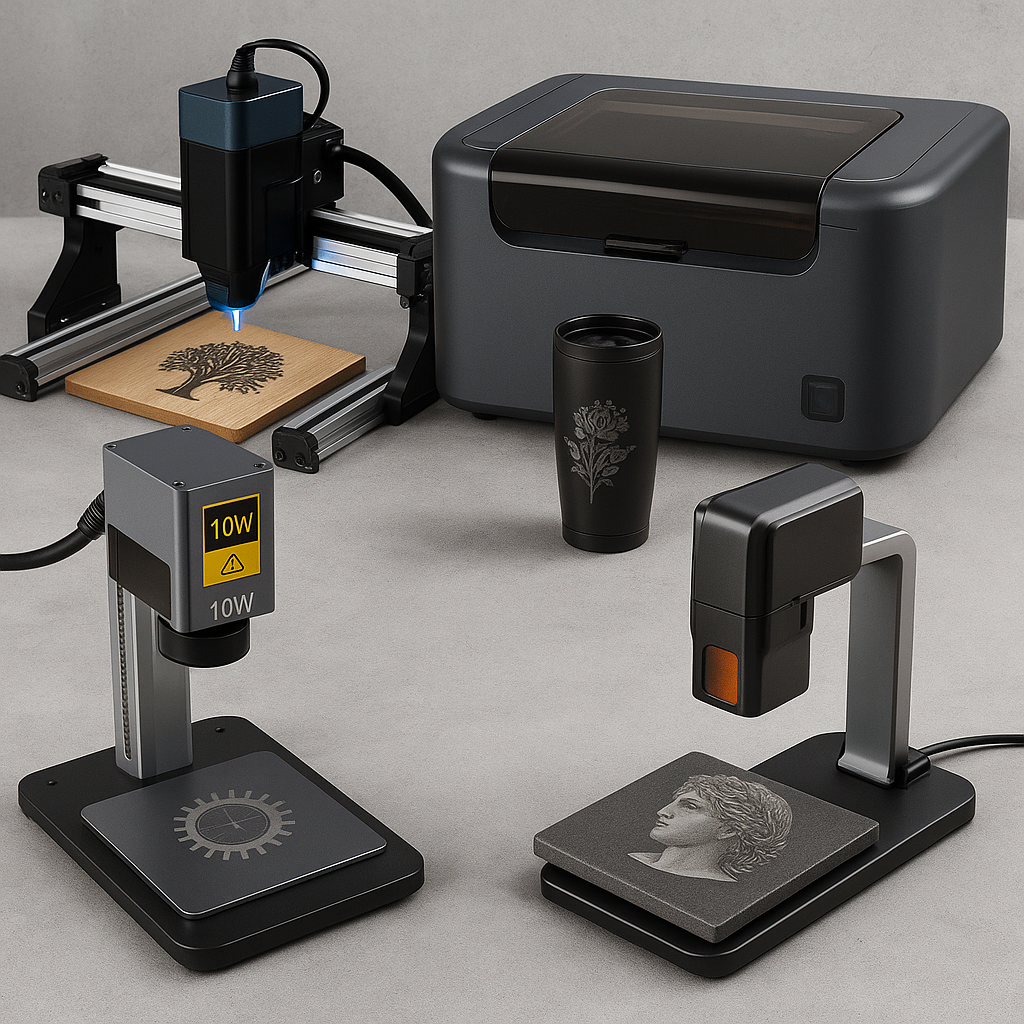
A 10W diode engraver is the entry point of the laser world — small, affordable, and well-suited to projects like names on wooden coasters, acrylic keychains, or plastic tags. Based on the calls our team fields every week, most first-time buyers doing personalized gifts at modest volume are perfectly served by a 10W machine.
A 20W engraver handles thicker woods, cuts faster, and tackles trickier materials in fewer passes. Fewer passes means faster turnaround and more orders processed per day — for a small business, that throughput difference adds up quickly in real profit.
A 10W laser can cut soft materials like felt, fabric, or thin plywood, but slowly. A 20W zips through these jobs and can take on harder woods like birch or maple without scorching. Plastic nameplates, acrylic charms, and signage also come out cleaner at higher power, with smooth rather than jagged edges.
Metals and stone are where casual and serious use cases diverge. A 10W can mark anodized aluminum but struggles beyond that. A 20W, especially with marking sprays, can etch stainless steel tumblers, pet tags, or stone plaques — a real consideration if your product line includes gifts, jewelry, or custom drinkware.

For Etsy shops, personalization is everything — names, dates, and quotes on tumblers, dog tags, or cutting boards. A 10W or 20W diode engraver covers this work well, and the lower upfront cost means you’ll see profit even on small-batch sales.
Industrial jobs are a different category entirely: signage for buildings, engraved machine components, barcode marking for inventory control. Here, CO2 or fiber lasers are the right call — they deliver the durability, precision, and continuous-duty power that nonstop production demands. The investment is higher, but industrial and corporate clients tend to pay more consistently, and often in bulk.
A dozen custom ornaments for the holidays? A 10W engraver is fine. A contract for 300 engraved mugs for a corporate retreat? A 20W or CO2 machine is the difference between a week of work and a single afternoon. Higher wattage and larger workbeds cut down on passes, setup, and handling time, so you can take on bigger orders without blowing your deadline.

To make this concrete, here’s how two popular CO2 machines in our lineup stack up:
| Machine | Power | Price | Best For |
|---|---|---|---|
| FLUX Beamo 30W | 30W CO2 | $1,690 | Newcomers and side hustlers — coasters, ornaments, keychains, light signage |
| FLUX Beambox II 55W | 55W CO2 | $3,290 | Shops scaling into large signage, thicker acrylic, or batch commercial orders |
The Beamo 30W is compact, approachable, and budget-friendly — it handles engraving and cutting on wood, acrylic, leather, and coated metals, and is small enough to fit most home studios. The Beambox II 55W is a real step up in size and power: a larger work area, faster cuts, and deeper engraves open the door to advanced projects. It costs nearly double, but the scalability and speed pay back quickly once you’re doing higher-volume or larger-format work.
Sub-$200 engravers on marketplaces promise a lot. They might be fine for a handful of Christmas ornaments, but reliable support is scarce, replacement parts are hard to find, and the bundled software is often genuinely difficult to use.
The hidden cost shows up later — in downtime, wasted materials, and frustrated customers. A budget machine that breaks mid-order can cost you more in refunds and reputation damage than a solid mid-tier machine would have cost upfront. Based on our experience selling laser engravers to schools, businesses, and hobbyists of all sizes, the buyers who regret a purchase almost always regret going too cheap, not too capable.
You’re new to laser work, your projects are mostly wood, acrylic, leather, or coated metal, and your volume is low to moderate. It’s the cheapest way to find out if this hobby — or business — is for you.
You’ve outgrown the 10W’s speed, you’re cutting thicker materials regularly, or you need to mark stainless steel and stone with sprays. Good fit for Etsy sellers scaling up.
You work across wood, leather, glass, and stone regularly, or you’re running a small business that needs reliable medium-volume throughput. This is the best all-rounder on the list.
Bare metal marking, jewelry engraving, or industrial parts are your core business. Fiber costs more, but it’s the only category that handles uncoated metal well.
Buy 10W if you’re a hobbyist or new Etsy seller working primarily with wood, acrylic, or coated metal at low-to-moderate volume. Buy 20W if you need faster turnaround, regularly cut thicker materials, or want the option to mark stainless steel and stone with sprays. The 20W typically costs more upfront but pays that back quickly once order volume picks up.
CO2 lasers are the most versatile — strong on wood, leather, glass, and stone, weak on bare metal. Diode lasers are compact and affordable, great for hobby-scale wood and acrylic work, but can’t cleanly cut glass or clear acrylic. Fiber lasers are built for metal — serial numbers, jewelry, industrial parts — and are the most expensive of the three.
A 10W diode can mark anodized aluminum but not much beyond that. A 20W diode, paired with a marking spray, can etch stainless steel tumblers, pet tags, or similar coated-metal items. For bare, uncoated metal at any real depth, you need a fiber laser.
For a one-off hobby project, maybe. For anything resembling a business, no — sub-$200 machines typically lack reliable support, replacement parts, and usable software. The downtime and wasted material from a machine that breaks mid-order usually costs more than buying a solid mid-tier machine in the first place.
Entry-level desktop CO2 machines like the FLUX Beamo 30W start around $1,690. Mid-tier machines built for scaling a small business, like the FLUX Beambox II 55W, run closer to $3,290. Industrial-grade CO2 units cost more still, but most small businesses and serious hobbyists are well served in the $1,700–$3,500 range.
If you’re engraving fine jewelry, rings, or watches in bare metal, yes — fiber lasers are built for this and deliver the precision and depth control that metal jewelry work demands. CO2 and diode lasers can mark coated or anodized metal jewelry, but they won’t give you the same clean results on bare gold, silver, or stainless steel.
Still not sure which machine fits your projects? Contact our team and we’ll help you match a laser to your actual workload.

Shipping Insurance ($89)
placeholder

Leave a comment