Industry-Leading 75 Day Returns - Buy With Confidence!
Skip to content
Is It Worth Buying a Laser Engraving Machine Right Now?

Is It Worth Buying a Laser Engraving Machine Right Now?

So you've been eyeing a laser engraver for a while. Maybe you've watched a few YouTube videos, scrolled through Etsy listings, and thought — could I actually do this? The short answer is yes. But the fuller answer is: it depends on how you plan to use it, and whether you've thought through the setup before hitting buy.

This guide cuts through the noise. We'll look at the real ROI numbers, the setup realities most sellers gloss over, and how to figure out whether owning your own laser is the right call for where you are right now.


Why Right Now Is a Good Time to Buy

The demand for personalized products isn't slowing down — it's accelerating. According to market research from Coherent Market Insights, the global laser engraving machine market is valued at $3.84 billion in 2025 and is expected to reach $6.41 billion by 2032, growing at a compound annual rate of 7.6%. That growth is being driven largely by consumer appetite for customized gifts, branded merchandise, and one-of-a-kind products — exactly the space small businesses and independent makers occupy.

At the same time, machine prices have never been more accessible. A capable diode laser that would have cost $1,500 four years ago now runs under $700. Mid-range CO₂ machines that used to sit at $4,000+ are now in the $2,000–$2,500 range for comparable specs. You're getting more machine for less money than at any point in the history of the technology.

"The rising demand for personalized products in consumer markets is driving innovation and expansion, making laser engraving essential for competitive manufacturing solutions worldwide." — Coherent Market Insights, Laser Engraving Machines Market Report, 2025

That's not marketing copy — it's the market signal. Buyers want custom. Sellers who can deliver custom, fast, and at high quality have a meaningful advantage.


Return on Investment: What the Numbers Actually Look Like

A laser engraving machine etching a floral pattern on wood next to a wooden house model and stacks of gold coins.

How Quickly Can You Break Even?

Every equipment purchase for a small business comes down to one question: how fast does it pay for itself? With laser engravers, the answer is often faster than people expect — especially if you focus on high-margin products from day one.

Take a $2,000 CO₂ machine. A custom engraved cutting board might cost you $8 in materials and take 20 minutes of machine time. Sell it for $45–$55, and you're clearing $35–$45 profit per unit. Sell 60 of those over a few months and the machine has paid for itself. Add seasonal products — Christmas ornaments, Valentine's gifts, wedding signage — and the timeline compresses further.

Corporate and bulk orders can accelerate ROI dramatically. A single order of 100 engraved tumblers for a company event could represent $1,500–$2,000 in revenue. One job like that and you're nearly at breakeven on a mid-range machine. Many small shop owners report recouping their machine investment within 3–12 months when they stay focused on high-demand products and price their work correctly.

Profit margins in this space are also genuinely strong. Custom engraving businesses regularly report 50–70% margins on personalized items because the emotional and perceived value of custom products far exceeds the material cost.

From Side Project to Steady Revenue

Most people start small. A few tumblers for friends, some signs for a craft fair, a handful of custom gifts around the holidays. Then something clicks — orders start coming in, word spreads, and the requests become more consistent and more varied.

This is exactly how a hobby becomes a business. Platforms like Etsy, Shopify, and even local Facebook groups are full of buyers looking for personalized products they can't find in a chain store. The machine that started as an experiment becomes the engine behind a real revenue stream. The key is transitioning from one-off orders to repeatable systems — batching similar jobs, standardizing your bestselling designs, and building a catalog that people can order from easily.

Customization commands a premium that mass-produced products simply can't compete with. That's the fundamental value proposition here, and it's not going away.

Looking to start a laser business?

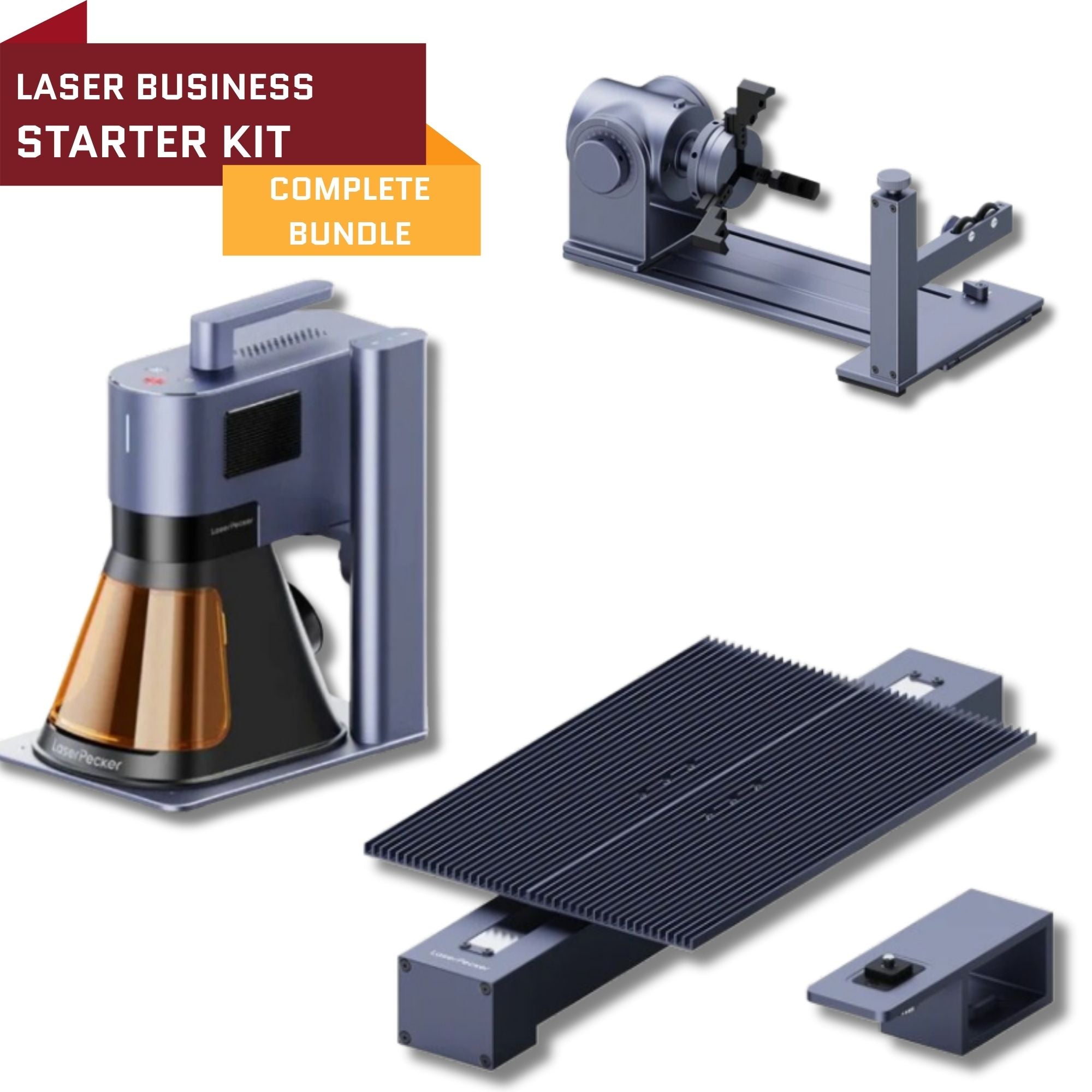
Laser Business Starter Bundle | Business-In-A-Box Laser Kit

A portable, professional laser engraving system designed to help entrepreneurs launch a laser engraving business quickly. Create custom products on metal, wood, leather, plastic, and more with a versatile dual-laser engraver.

View Full Product Details

What to Consider Before You Buy

Workspace, Ventilation, and Setup Costs

One of the most common surprises for new buyers is how much thought the setup requires before the machine even arrives. A compact diode laser can sit on a workbench, but a mid-size CO₂ machine will easily take up the footprint of a dining table — and that's before you account for the exhaust system, a rotary attachment, material storage, and a dedicated computer.

Ventilation is non-negotiable, and it's where many people underestimate costs and complexity. Laser cutting and engraving produces smoke and fumes. Cutting acrylic produces a sharp, unpleasant smell. Some materials — PVC being the most important example — should never be cut with a laser at all because of the toxic gases produced. Most home operators run their machine in a garage, basement, or spare room with a dedicated inline exhaust fan venting outside. Others invest in a filtration unit so they can operate in fully enclosed spaces.

Budget for these extras before you commit to a machine price. A $1,200 laser plus $300 in ventilation equipment and $150 in accessories is closer to the real cost of getting started properly. That's still a reasonable entry point — just know what you're actually spending.

The Learning Curve Is Real

Modern laser engravers are far more user-friendly than they were five years ago. Most ship with good documentation, and software like LightBurn has a well-supported community and extensive tutorials. But there's still a learning curve — particularly around understanding how different materials behave, dialing in speed and power settings, and troubleshooting when a job doesn't come out right.

Expect to run test pieces, waste some materials, and spend time learning before your first paid job looks exactly the way you want it to. Most people get comfortable within a few weeks of regular use. That investment of time pays off quickly once you've built a library of reliable settings for your most common materials and products.

Safety habits also need to be established early. Never leave a running machine unattended. Keep a fire extinguisher within reach. Make sure your exhaust system is functioning before every session. These aren't scare tactics — they're just standard operating practice for anyone running this kind of equipment professionally.

A laser engraving machine burning a detailed tree design onto wood while a person sketches nearby on a notepad.

Safety Certifications and What to Look For

When evaluating machines, pay attention to safety certifications. Look for CE marking (European safety standard) or FDA registration for machines sold in the US. Enclosed housing matters — open-frame diode lasers require safety goggles during operation and pose more risk if something goes wrong. Emergency stop buttons, lid safety sensors that cut power when the enclosure is opened, and good build quality on the chassis all contribute to a safer working environment.

Don't let safety concerns stop you from buying — lasers are a mature, well-understood technology, and the machines available today are far safer than earlier generations. But do evaluate safety features the same way you'd evaluate print quality or bed size: as a core spec, not an afterthought.


Owning vs. Outsourcing: The Honest Trade-Off

Control, Quality, and Speed

When you own the machine, you own the outcome. You can tweak a design at 10pm and run the job by morning. You can perfect settings for a specific material over multiple test passes without paying someone else for their time. You can take a rush order that would be impossible to outsource on short notice.

That speed and control is what builds reputation. Customers who know you can deliver quality work quickly become repeat customers — and repeat customers are the foundation of any sustainable small business. The ability to say yes to a Monday delivery on a Friday request is a competitive advantage that outsourcing simply cannot provide.

Quality control is the other major argument for ownership. When you control the machine, you control the output. You're not sending files to a third-party shop and hoping the result matches your expectations. Every piece that leaves your hands has been through your quality check.

When Outsourcing Still Makes Sense

That said, outsourcing has its place — particularly for people who are still testing whether engraving is the right direction for their business, or who have very low order volumes and don't want to tie up capital in equipment.

If you're running fewer than 10–15 jobs per month, the math may favor outsourcing for now. But if demand is consistent and growing, keeping work in-house almost always wins financially over the medium term. The per-job cost of outsourcing adds up fast, and you lose the ability to control turnaround time, quality, and pricing flexibility.

A practical middle ground: start by outsourcing a handful of orders to validate that there's real demand for what you want to make. Once you've sold enough to understand your most popular products and realistic order volume, buy the machine that matches that demand.


Which Type of Laser Engraver Is Right for You?

A laser engraving machine etching a detailed tree design onto a wooden board on a desk with notebooks and a laptop.

Starting Out: Diode Lasers ($400–$1,500)

Diode lasers are the entry point for most new buyers, and they're a legitimate business tool — not just a toy. A quality 10W–20W diode machine can engrave wood, leather, slate, anodized aluminum, and painted surfaces with excellent results. It can cut thin materials like balsa wood, craft plywood, and leather at reasonable speeds.

What they can't do well: cut clear acrylic, engrave glass directly (without a special coating), or handle thicker materials at production speeds. If your product lineup is focused on wood coasters, leather goods, engraved cutting boards, or painted tumblers, a diode laser can absolutely support a real business — especially while you're learning and building your customer base.

The Mid-Range Sweet Spot: CO₂ Lasers ($1,500–$5,000)

For most small businesses serious about building consistent revenue, a CO₂ laser is the workhorse. These machines cut and engrave acrylic cleanly, work beautifully on wood, handle glass, fabric, leather, and stone, and run at speeds that support real production volumes.

A 40W–60W CO₂ machine in the $2,000–$3,500 range is where most growing engraving businesses land. It handles the widest range of popular products, produces professional-quality results, and can batch jobs efficiently. This is the machine that turns a side business into a primary income stream for many operators.

Specialized Work: Fiber Lasers ($3,000–$15,000+)

Fiber lasers are built for one thing above all others: metal. They engrave stainless steel, brass, aluminum, gold, and silver with hairline precision and permanent depth — no coatings required. Jewelers, knife makers, industrial parts suppliers, and anyone doing high-end metal personalization needs a fiber laser.

They're more expensive and less versatile across organic materials than CO₂ machines, but for their specific application they're unmatched. If your niche is engraving metal products — jewelry, watches, corporate awards, firearms accessories — the fiber laser is the right tool, not a luxury upgrade.

The Start-Small-and-Scale Approach

Many successful engravers follow a deliberate progression: start with a diode laser, build revenue and a customer base, then reinvest profits into a mid-range CO₂ machine. Some eventually add a fiber laser for metal work. This approach limits upfront risk while you learn the market, and it means every upgrade is funded by the machine that came before it — not out-of-pocket capital.

Others skip straight to a CO₂ machine if they have a clear product direction and enough capital. Both paths work. The important thing is that your machine choice should follow your business goals — not the other way around.

Looking to start a laser business?

Laser Business Starter Bundle | Business-In-A-Box Laser Kit

A portable, professional laser engraving system designed to help entrepreneurs launch a laser engraving business quickly. Create custom products on metal, wood, leather, plastic, and more with a versatile dual-laser engraver.

View Full Product Details

The Hidden Costs Most Buyers Overlook

The sticker price of the machine is just the beginning. Here's what experienced operators wish they'd factored in from the start:

Accessories: A rotary attachment for tumblers and bottles ($60–$150), a honeycomb bed for clean cuts ($40–$80), air assist for better engraving quality ($50–$200). These aren't optional extras for a production environment — they're necessities.

Ventilation: An inline duct fan, ducting, and fittings typically run $100–$200. A proper filtration unit for fully enclosed setups costs $300–$600. Don't skip this.

Software: LightBurn is the industry standard for CO₂ and diode lasers — a one-time license runs around $60. Some machines come bundled with it; many don't. Fiber laser machines typically use EzCad, which is usually included.

Materials for testing: Budget $100–$200 for test materials before your first paying job. You'll waste blanks learning the optimal settings for each material. That's not failure — it's training.

Consumables: Lenses and mirrors need periodic replacement. A CO₂ laser tube has a finite lifespan (typically 8,000–10,000 hours). Factor $200–$500 per year into ongoing operating costs once you're running the machine regularly.

Add it all up and your true startup cost for a mid-range setup might be $2,500–$3,500 rather than the $2,000 machine price alone. That's still a very reasonable investment for a tool with the revenue potential it carries — just build your financial plan around the full number.


The Bottom Line: Is It Worth It?

For the right person in the right situation — yes, without question. If you have a clear product direction, customers to sell to (or a plan to find them), adequate workspace, and the patience to invest time in learning the machine, a laser engraver is one of the most capital-efficient tools you can add to a small creative business.

The machines are better, cheaper, and more capable than ever. The demand for personalized products is growing consistently. The margin potential is real, and the barriers to entry are lower than at any previous point in the technology's history.

What it isn't is a passive income machine. It requires your time, your skill, and your attention to quality. But for makers and entrepreneurs who are willing to put in that work, the return is very much there.


You May Also Like:


Frequently Asked Questions

How long does it take to recoup the cost of a laser engraving machine?

For most small business owners focused on high-demand products, the breakeven point falls somewhere between 3 and 12 months. The timeline depends heavily on your product selection and pricing. Items with strong margins — engraved cutting boards, custom tumblers, personalized signs — can recover a $2,000 machine cost with 60–80 units sold. Bulk corporate orders can dramatically accelerate this. Many first-time buyers recoup their investment within a single holiday selling season by focusing on seasonal items like ornaments, gift sets, and custom home décor. The key is pricing your work correctly from day one and not undercharging for your time.

Is a laser engraver worth it for a home-based business?

Yes — but only if you've planned your workspace properly. The machine itself can fit in a garage, basement, spare room, or even a dedicated corner of a workshop. What you can't skip is ventilation. Laser engraving produces smoke and fumes that need to be exhausted outside or filtered, and this setup has to happen before you run your first job. With proper ventilation in place, a home-based laser engraving business is completely viable and relatively low-overhead compared to many other small business models. Thousands of successful Etsy sellers, local craft vendors, and corporate gift suppliers run entirely home-based operations.

What is the best laser engraver to start a small business?

For most people starting out, a mid-range CO₂ laser in the 40W–60W range hits the sweet spot of capability, versatility, and price. These machines handle the broadest range of popular products — wood, acrylic, leather, glass, slate — and can run at production speeds once you're comfortable with the workflow. If budget is tight, a quality 10W–20W diode laser can genuinely support a real business for wood, leather, and painted metal products, with the understanding that you'll eventually want to upgrade. Avoid the very cheapest machines from unknown brands — the support, build quality, and software compatibility issues tend to cost more in time and headaches than the savings are worth.

What are the most profitable products to make with a laser engraver?

The consistent top performers are custom tumblers, personalized cutting boards, engraved ornaments (especially at Christmas), custom signage, and wedding or event accessories. These products hit the right combination of high emotional value, reasonable material cost, and strong market demand. Corporate orders — awards, branded merchandise, event giveaways — can be extremely lucrative because they're ordered in bulk, the client is often less price-sensitive, and repeat orders are common once a relationship is established. Jewelry engraving (rings, pendants, bracelets) also commands a premium, though it typically requires a fiber laser rather than a CO₂ machine.

How much does it actually cost to start a laser engraving business?

Budget $1,500–$4,000 for a realistic mid-range setup that includes the machine, ventilation, essential accessories (rotary attachment, honeycomb bed, air assist), software, and initial materials for testing. A diode laser setup can come in at $800–$1,500 all-in for a more modest start. The machine price alone doesn't tell the whole story — factor in ventilation equipment, consumables, and your first batch of blank materials before you have paying orders. Starting a laser engraving business has a relatively low overhead compared to most product-based businesses, which is one of the reasons the margins can be so strong once the initial costs are covered.

Can a beginner use a laser engraving machine without prior experience?

Yes, and many of today's machines are designed with beginners in mind. Modern laser engravers come with setup guides, and the most popular design software (LightBurn for CO₂ and diode machines) has an extensive library of tutorials, an active user forum, and a relatively gentle learning curve for basic operations. That said, expect to spend 2–4 weeks getting genuinely comfortable — understanding how materials behave, learning to dial in settings for clean results, and developing the workflow habits that make production efficient. The learning curve is real but manageable, and the online community of laser engravers is one of the most helpful and active maker communities online.

What are the ongoing operating costs of running a laser engraver?

Operating costs are genuinely low compared to most production equipment, which is one of the key reasons laser engraving businesses can sustain such strong margins. Electricity consumption is modest — most desktop and mid-range machines draw 300–800 watts during operation. The main recurring costs are consumables: lenses and mirrors (replace every few months with regular use), CO₂ laser tube replacement every 8,000–10,000 hours, and blank materials. Budget roughly $200–$500 per year for machine consumables on a regularly-used CO₂ setup. Software like LightBurn is a one-time purchase. Once the machine is paid for, the cost of running individual jobs is low enough that margins hold up well even on competitively-priced products.

Is a laser engraving business still profitable in 2025 and beyond?

The fundamentals remain strong. Demand for personalized products continues to grow, driven by the ongoing preference for meaningful, one-of-a-kind gifts and branded merchandise. Market research projections consistently show the laser engraving machine market expanding at 7–9% annually through the end of the decade. For small business operators, the key competitive advantage is the ability to deliver personalization quickly, locally, and with a quality guarantee — something large-scale online retailers can't easily replicate. The businesses that struggle are those that compete on price alone. The ones that thrive are those that compete on quality, turnaround time, and the customer experience of getting something made just for them.

Previous article What Are the Disadvantages and Hazards of Laser Engraving?
Next article How to Choose the Right Laser Engraver for Your Small Business

Leave a comment

Comments must be approved before appearing

* Required fields