

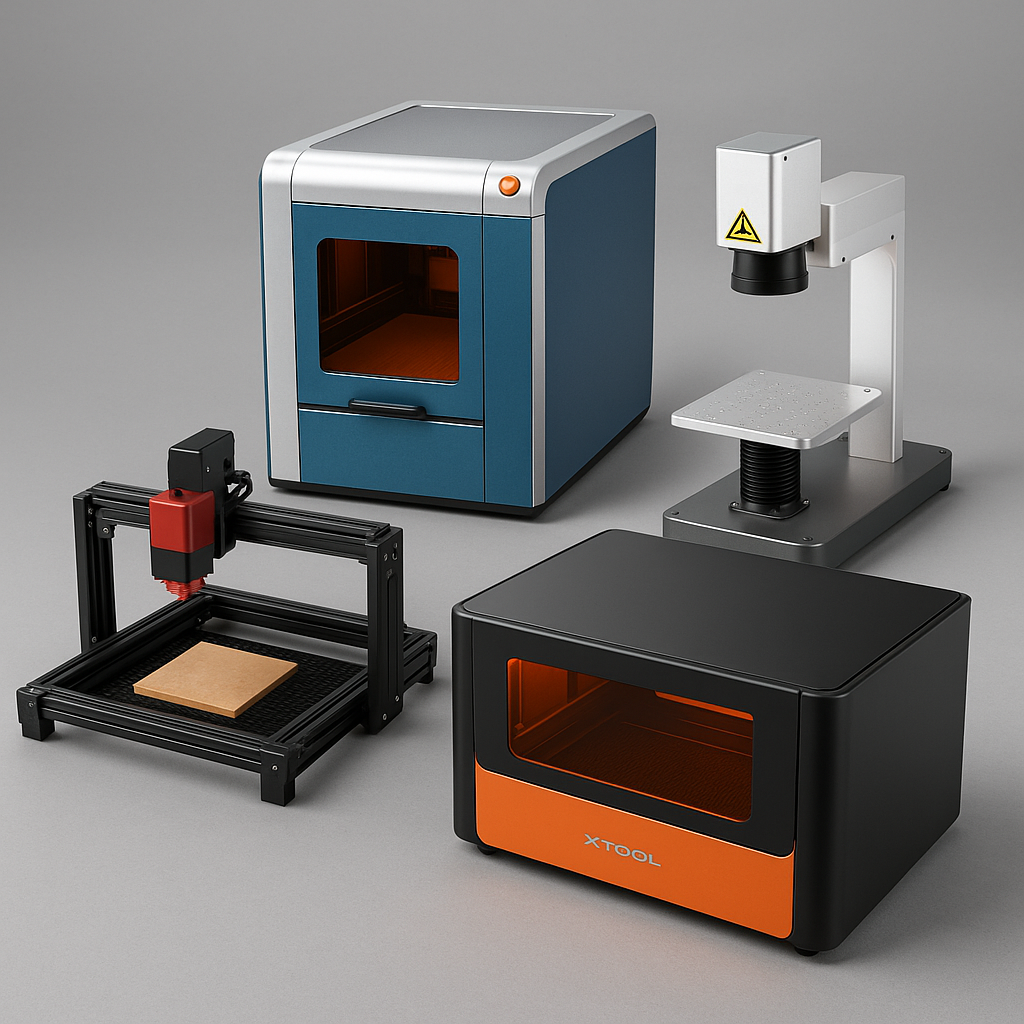
Last updated June 2026. Based on the hundreds of small business calls our team takes every month, the question almost always boils down to material first, budget second. Here's the short answer: go with a CO2 laser for wood/acrylic/signage work, a fiber laser for metal, and a UV laser if you need to mark glass, plastics, or mixed materials with minimal heat damage. The rest of this guide breaks down exactly which machine fits which business.

The Gweike G2 Max 50W Fiber Laser is built for precision and speed on metals. Its 50W power tackles stainless steel, aluminum, brass, and other hard materials with crisp, high-contrast engravings — a real step up for businesses producing knives, tools, jewelry, or industrial tags where depth and permanence matter.
Fiber lasers mark metal significantly faster than CO2, which matters directly for keeping up with bulk orders. The G2 Max includes autofocus and streamlined software setup, which based on customer feedback reduces the trial-and-error that eats into margins during a business's first few months with a new machine.
The FLUX Beambox II hits the sweet spot for makers and small businesses who want professional results without industrial-machine cost or footprint. Its CO2 laser handles wood, acrylic, leather, fabric, and coated metals — well suited to signage, décor, and custom gift production.
The built-in HD camera lets you preview your work area and align designs accurately before cutting, paired with FLUX's Beam Studio software for a workflow that's approachable even for first-time laser owners.
The ComMarker Omni 1 UV covers ground the other two can't: ultra-high speed (10,000mm/s), HD detail, and cold UV laser tech that marks glass, metals, plastics, and leather with minimal heat damage. At roughly 23.5kg it's portable enough for pop-ups or mobile setups while still delivering commercial-grade results.
Its dual-lens system (70x70mm and 150x150mm), LightBurn and EZCAD compatibility, and optional rotary accessories mean one machine covers flat surfaces and curved items like cups or jewelry — useful for businesses that don't want to buy a second machine just to add one new product line.

| Specification | Gweike G2 Max | FLUX Beambox II | ComMarker Omni 1 UV |
|---|---|---|---|
| Laser type | 50W Fiber | 55W CO2 | UV Galvo |
| Best for | Metal: knives, tools, jewelry, industrial tags | Wood, acrylic, leather, signage, gifts | Glass, plastics, mixed materials, curved items |
| Software | Gweike autofocus + included software | Beam Studio with HD camera alignment | LightBurn / EZCAD compatible |
| Price at The Maker's Chest | $2,499 | $3,290 | From $999 |
Every business works with different materials, and your machine choice should follow from that, not the other way around. A boutique selling engraved wooden signs and acrylic décor will thrive with a CO2 laser. A jeweler engraving initials on silver pendants needs a fiber laser — a CO2 machine simply can't mark bare metal without coatings. Stone and glass engraving are possible with CO2 machines, but settings need careful management; UV lasers handle glass more reliably with less risk of cracking from heat stress.
Based on our experience advising small business buyers, many start with one machine type and add a second as their product line expands — matching the first machine to your primary material avoids the most common wasted-investment mistake we see.
Batch production businesses — think custom promotional products — benefit from automation, conveyor feeders, and cameras that speed up alignment across dozens of identical jobs. Businesses specializing in one-of-a-kind orders, like personalized wedding gifts, need software that swaps designs quickly and handles odd-shaped materials without a lengthy reset between jobs.

Price is usually the first filter, but features often matter more than the sticker price suggests. Machines with autofocus, alignment cameras, and streamlined software can save hours each week and prevent material waste — both of which improve margins more than a lower purchase price alone. Sometimes paying more upfront avoids hidden costs down the road in wasted material and redo time.
A laser engraver is an investment in your business's future, not just a one-time purchase. Worth asking before buying: will this machine still meet your needs three years from now? How available are replacement parts? Does the manufacturer provide ongoing software updates? A slightly higher price for a well-supported, durable machine often pays off compared to a cheap model that fails as your business scales.
There isn't one universal answer — it depends on your primary material. For wood, acrylic, and signage work, the FLUX Beambox II is the strongest starting point. For metal engraving, the Gweike G2 Max. For businesses working across mixed materials including glass and plastics, the ComMarker Omni 1 UV offers the most versatility in a single machine.
Not effectively. CO2 lasers (used in machines like the Beambox II) can't mark bare metal without specialized coatings, and fiber lasers (like the G2 Max) aren't suited to wood or acrylic cutting. Businesses that genuinely need both materials typically end up with two machines, or start with a UV laser for material flexibility before specializing further.
For a business running regular volume, yes — the time saved on setup and the material waste avoided from misalignment typically pay back the price difference within the first few months of regular use.
You May Also Like:
Not sure which machine fits your specific product line? Reach out to our team — we talk small business owners through exactly this decision every week.

Shipping Insurance ($89)
placeholder

Leave a comment