


Last updated June 2026
Challenge coins carry real weight — literally and figuratively. They've represented unit identity since World War I, marked milestones in every branch of the US military, and today show up everywhere from corporate boardrooms to fire stations to collector conventions. And increasingly, makers and small businesses are producing them in-house using fiber laser engravers.
The technology has made something that once required expensive die tooling and minimum order quantities accessible to anyone with the right machine and a good design file. But not every laser engraver is suited to the work. Deep metal engraving on coins — the kind that produces the relief depth and fine detail that makes challenge coins feel like they're worth carrying — requires specific hardware.
This guide covers the five best laser engravers available right now for challenge coin work, with honest context on what each one does well, who it's best suited for, and what to look for when making your decision.
Quick picks:
Before getting into specific machines, it's worth understanding why fiber lasers dominate this application — and why other laser types fall short.
Challenge coins are typically made from brass, copper, zinc alloys, aluminum, or stainless steel. These are dense, reflective metals that require focused, high-energy laser interaction to engrave at any meaningful depth. Fiber lasers operate at a 1064nm wavelength that is highly efficient on metal surfaces — absorbed well by the material rather than reflected away, which is the key to clean, deep engraving.
CO2 lasers, despite their popularity for wood and acrylic, aren't effective on raw metal and won't give you the relief depth that challenge coins demand. Diode lasers can mark anodized aluminum or coated surfaces, but they lack the power density for genuine deep engraving on bare metal coins. UV lasers are precision tools for plastics and glass, not deep metal work.
MOPA fiber lasers specifically offer pulse width control that's particularly valuable for coins. Being able to vary the pulse duration opens up color annealing effects (black fills, gold tones on stainless) and gives you more nuanced control over the surface interaction. For collectors and premium work, MOPA machines are a meaningful step up.
"Challenge coin laser engraving, service/anniversary medals, or achievement awards can be a profitable laser engraving service. A fiber laser engraver delivers high energy density, produces clean and precise details for depth engraving, and works exceptionally well on brass, steel, and other metals." — ComMarker Laser Engravers
Each machine below is evaluated specifically for challenge coin engraving — not general metal marking, but the deep relief, fine detail work that makes coins worth carrying. The right pick depends on your volume, budget, and how serious you are about depth.
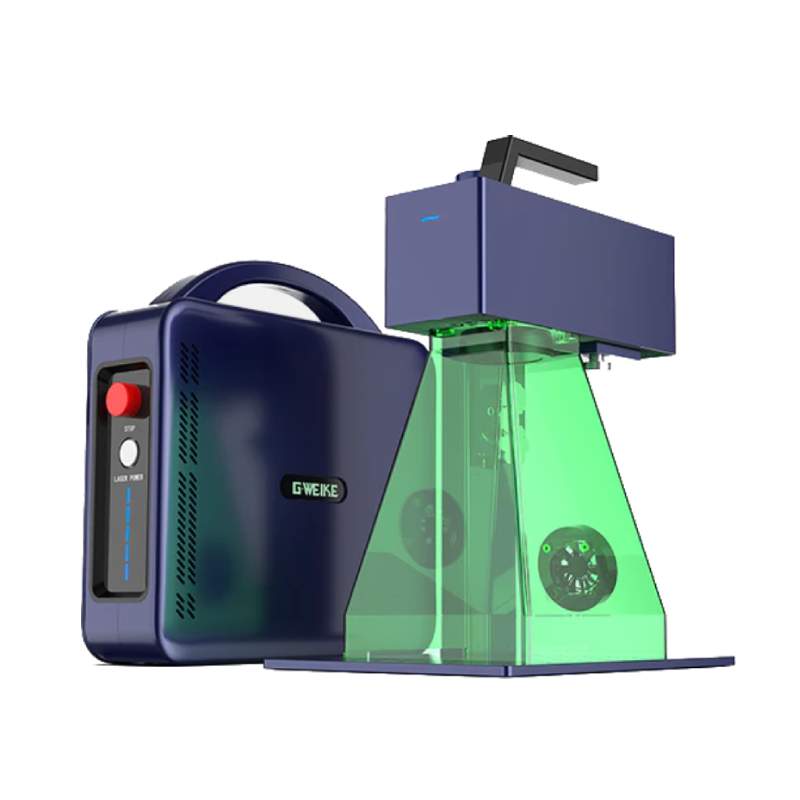
The Gweike G2 Max 50W is currently the most powerful portable fiber laser on the market, and that matters for coins. At 50W, it can achieve engravings up to 5mm deep into metal surfaces — more than enough for detailed relief work on standard challenge coin blanks. For context, most challenge coins are 3mm thick or less, so this machine can work the full face depth if needed.
The 150×150mm work area comfortably handles standard coin sizes (typically 38–50mm in diameter), and you can batch multiple coins in a single run. What sets the G2 Max apart from other fiber lasers at this price point is its portability — it doesn't require a fixed workstation and can engrave at angles, which is useful when working with coins that have slightly curved surfaces or when doing edge work.
Best for: Hobbyists, laser businesses adding coin engraving as a new service, anyone wanting serious capability without an industrial price tag.
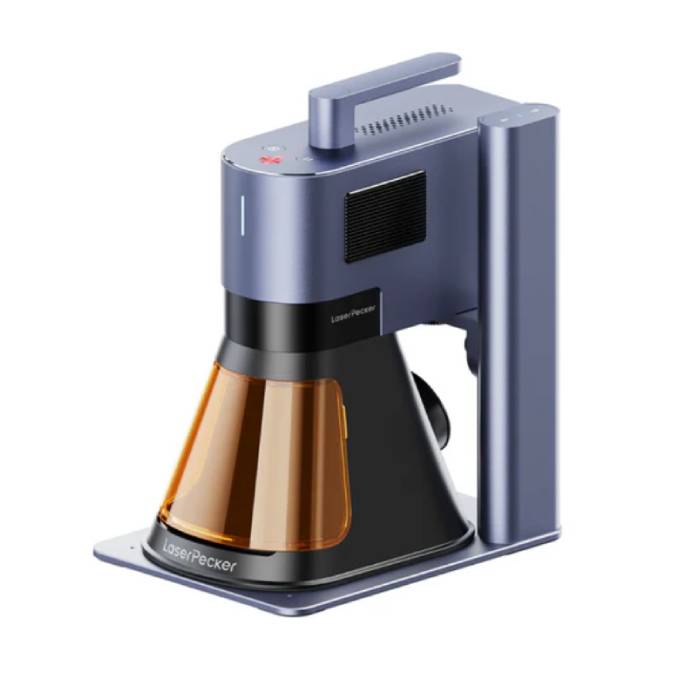
The LaserPecker 5 brings a dual-source approach that no other machine on this list offers. The 20W fiber laser handles metal coin engraving, while the 20W diode laser extends capability to wood, leather, acrylic, and other materials — letting you run a broader product range from a single machine.
For challenge coins specifically, the 20W fiber module delivers clean, permanent engravings on brass, aluminum, and stainless steel. It's not at the same depth level as the 50W G2 Max, but for surface-level precision work, logo marking, and initials or text, results are sharp and professional. The real strength is its ecosystem — smartphone app control, straightforward file import, and a genuinely portable form factor.
Best for: Beginners wanting to start coin engraving alongside other products, makers who need one machine to cover multiple materials.
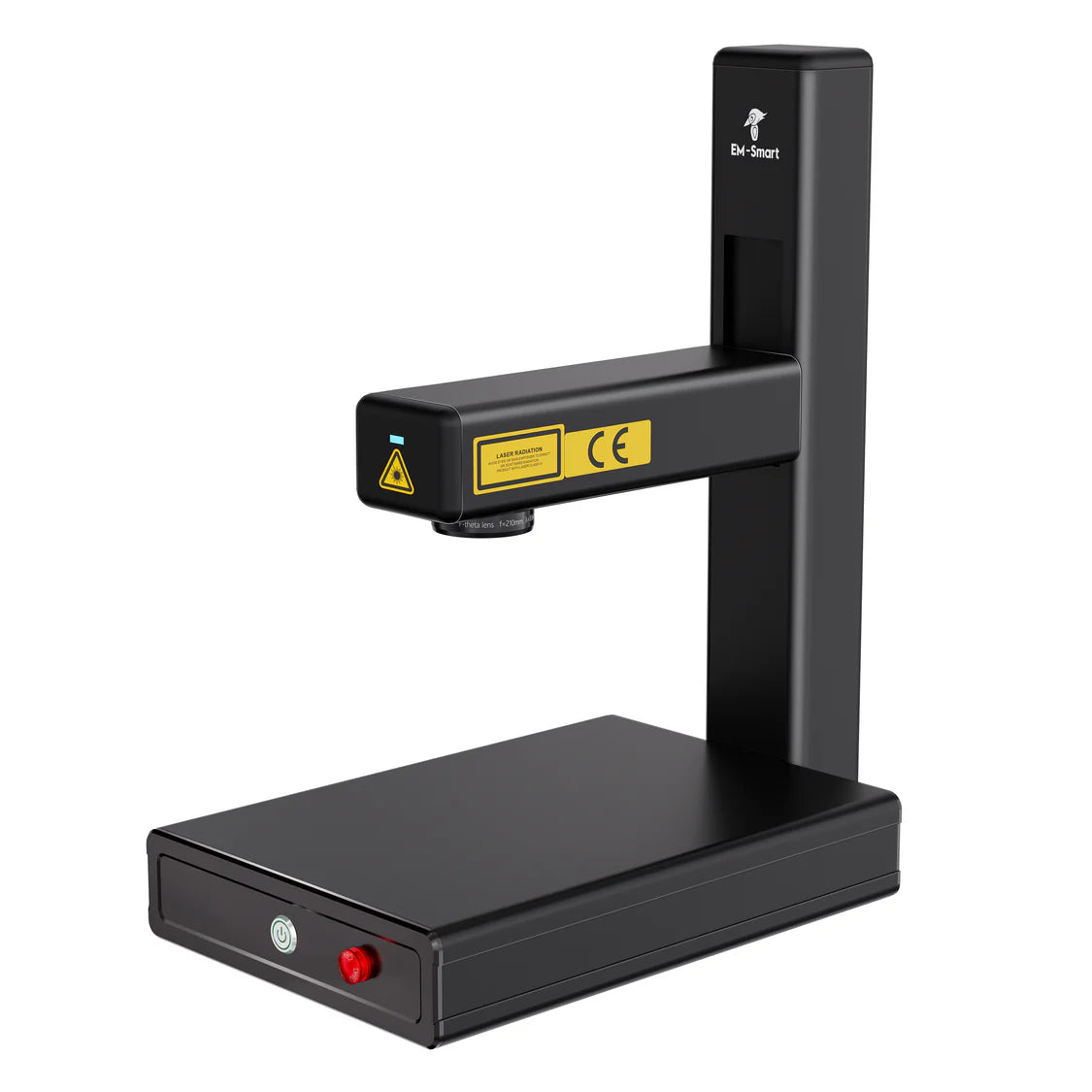
The EM-Smart Nova 25W sits neatly between the entry-level and professional tiers. Its 25W fiber laser delivers genuine engraving depth on metals — significantly more depth per pass than a 20W machine — while keeping the compact, portable form factor that many small shop operators prefer.
The Nova is well-regarded for consistent, repeatable results on brass and aluminum coin blanks, and its intuitive software interface means you're not fighting the machine to get good outcomes. Its portability is purpose-built rather than a compromise, making it ideal for engravers who work at events, markets, or multiple locations.
Best for: Small business owners, mobile engravers, and intermediate users who want serious fiber laser performance in a compact package.

The ComMarker B6 JPT MOPA is where the list gets noticeably more capable. MOPA technology means this machine can vary pulse width — and for challenge coins, that unlocks deep, clean multi-pass engravings with excellent surface control, and color marking effects like black fills and oxidation-based color that premium coin work calls for.
The JPT laser source is well-regarded for consistency and longevity. The B6 is compact compared to split-system industrial machines, and its autofocus and high engraving speeds mean projects finish faster — useful when producing coins in batches. For engravers who have outgrown basic fiber lasers and want MOPA capability without paying for a fully industrial setup, the B6 is a logical step up.
Best for: Experienced engravers, small-to-medium production runs, anyone wanting MOPA color and depth capabilities in a desktop-sized package.
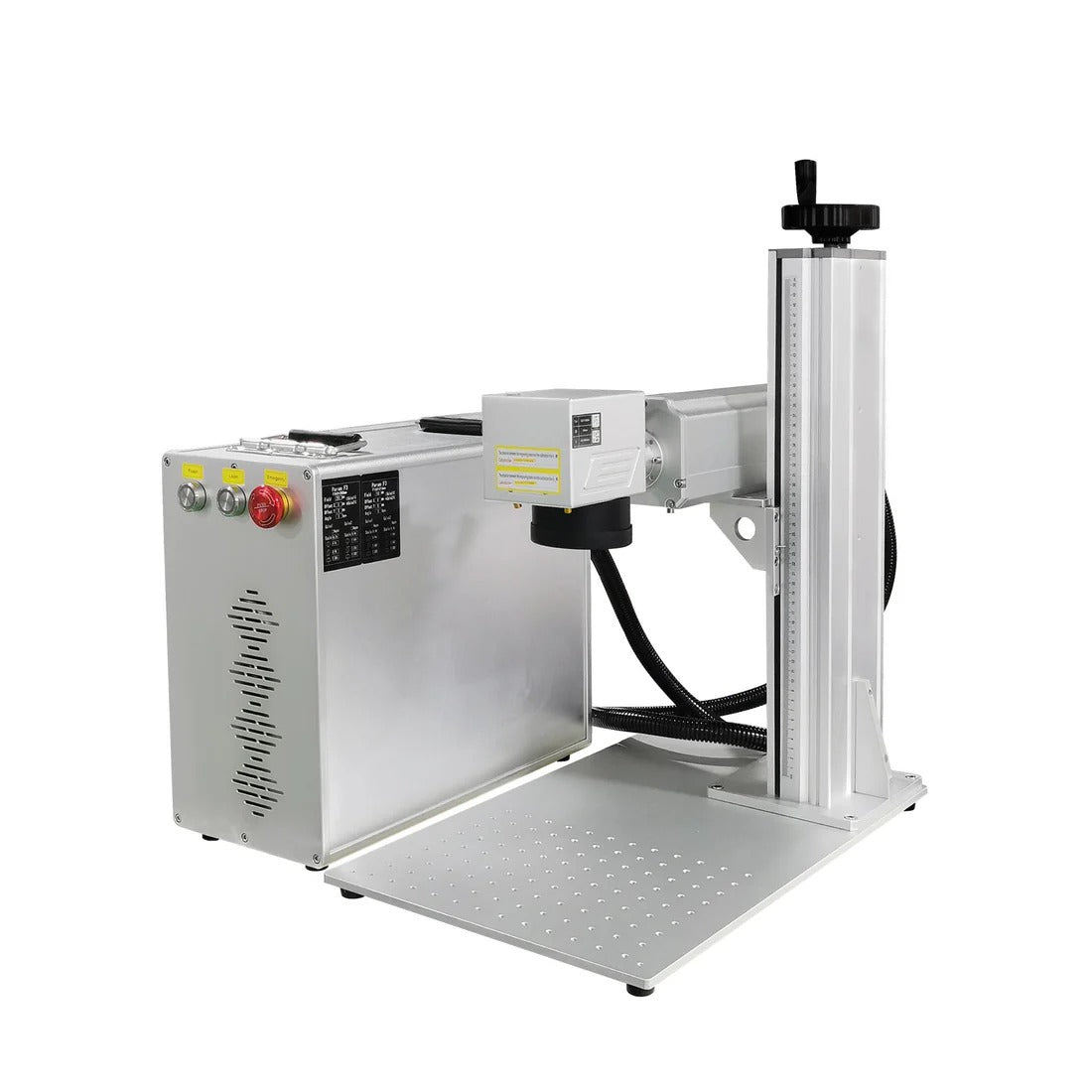
The Haotian JPT MOPA Split Fiber Laser is the commercial-grade option on this list. Available in 30W through 200W configurations, with 100W being the sweet spot for serious coin production, this machine is designed to work hard every day without producing inconsistent results.
The split fiber laser system — where the laser source and control unit are separate — runs cooler and more efficiently than integrated desktop units, which matters during long production sessions. The JPT MOPA source delivers exceptional pulse control for precise depth management and color effects across all standard challenge coin materials. At 100W, the engraving speed and depth capability is simply in a different category from anything else on this list.
Best for: Professional engravers, commercial operations, anyone doing regular high-volume coin work where quality consistency and machine uptime matter.
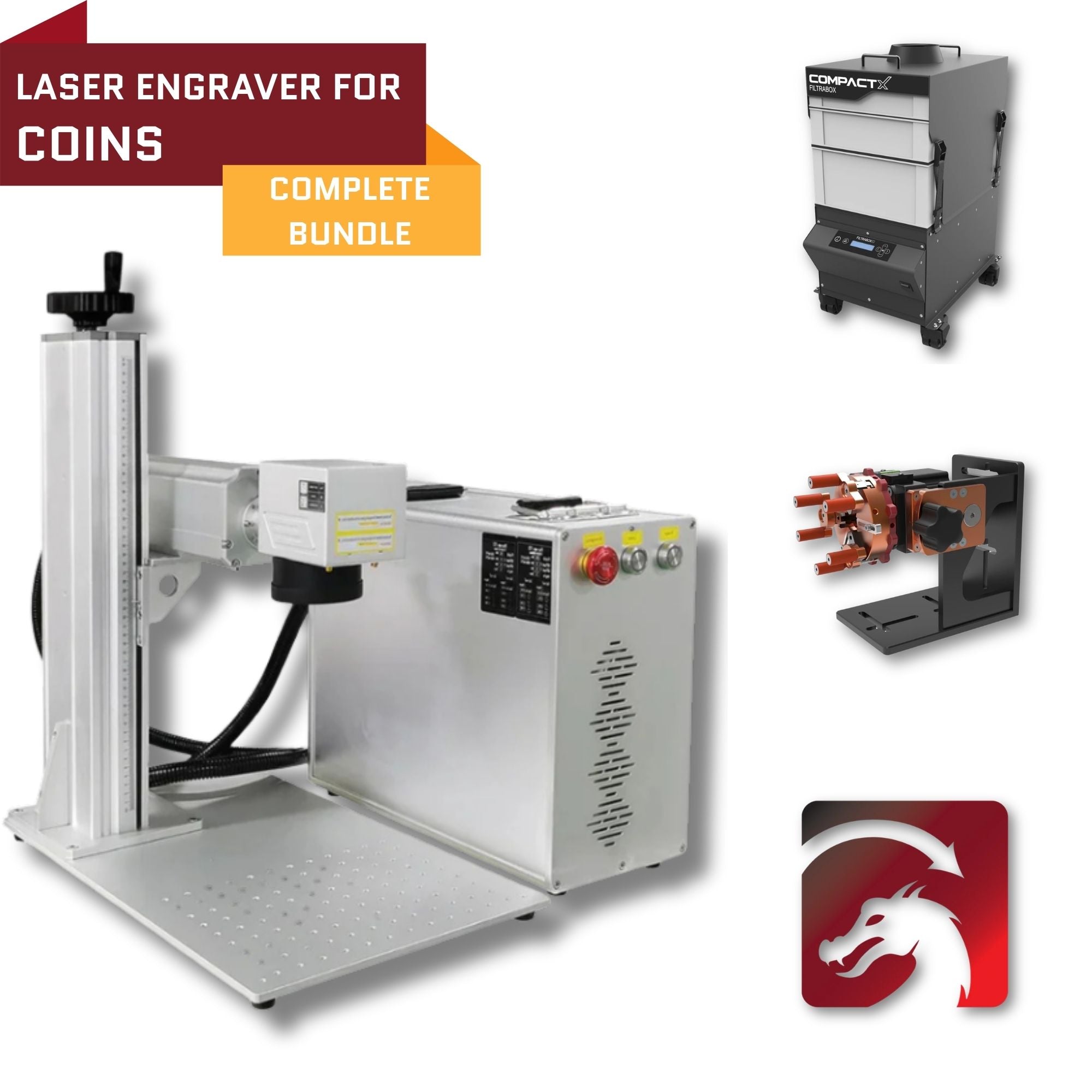
The Ultimate Deep Metal Coin Laser Engraving Kit. A Complete 100W MOPA Fiber Laser System Built for Deep Coin Engraving, Precision Detail & Production Efficiency.
View Full Product DetailsFor challenge coins, you need a fiber laser — specifically, 30W or higher for meaningful depth, and 50W or above for efficient deep relief engraving. MOPA fiber lasers offer additional control through pulse width variation, enabling color annealing effects and more precise surface interaction. The minimum viable setup for someone serious about coin work is a 30W fiber laser.
Standard challenge coins range from 38mm to 50mm in diameter. Any machine with a 100×100mm or larger work area can handle them. A 150×150mm field is more useful — it lets you engrave 4–6 coins simultaneously in a single run, which transforms production efficiency. Fixturing matters enormously: coins are small, round, and will shift if not properly secured. A custom jig or v-slot fixture that holds coins in consistent positions is essential for repeatable, centered engravings.
The two primary options are EZCAD (the traditional standard) and LightBurn (increasingly the preferred choice for its user-friendly interface and powerful design tools). For 3D depth map engraving — where a grayscale image creates relief depth by varying power across the design — LightBurn's control over density and layer settings is particularly well-suited to challenge coin work.
Deep coin engraving typically requires 20–40 passes for 1mm+ depth. The practical question isn't just how deep a machine can go, but how consistent it stays across dozens of passes without drift or surface variation. Running a cleaning pass between depth passes — at higher speed and lower power — removes residue and oxidation, keeping the surface clean for the next pass. This is standard professional practice.
The honest starting point is the Gweike G2 Max 50W or the LaserPecker 5, depending on whether you want maximum power for coin depth (G2 Max) or maximum versatility across materials (LaserPecker 5). Starting with a mid-range fiber laser and learning the craft — depth map design, multi-pass settings, coin fixturing — is more valuable than overspending on a machine before you know your workflow.
The EM-Smart Nova 25W and ComMarker B6 MOPA both fit well here. The Nova is the right call if portability and compact footprint matter. The B6 is the right call if MOPA color effects and higher production speed are priorities.
The Haotian 100W JPT MOPA Split Fiber Laser is the machine for this. For a business where engraving quality and machine reliability directly affect customer satisfaction and repeat orders, the investment is justified. The commercial market for challenge coins — military units, law enforcement, corporate clients — is large and well-established.
The Ultimate Deep Metal Coin Laser Engraving Kit. A Complete 100W MOPA Fiber Laser System Built for Deep Coin Engraving, Precision Detail & Production Efficiency.
View Full Product DetailsA fiber laser is the correct choice. Challenge coins are made from metals — brass, copper, stainless steel, zinc alloys, and aluminum — and fiber lasers operate at the 1064nm wavelength most efficiently absorbed by metallic surfaces. CO2 lasers are not effective on raw metal. Diode lasers lack the power density for genuine deep engraving. For the best results, look for a fiber laser of 30W or higher. MOPA fiber lasers additionally offer pulse width control, enabling color annealing on stainless steel and more precise surface interaction for premium work.
Depth depends primarily on laser wattage and number of passes. A 50W fiber laser can achieve up to 5mm depth with sufficient passes. For most challenge coin projects, 0.5mm–1.5mm produces the relief effect and tactile quality that makes coins feel premium. Higher-powered machines (60W–100W) achieve the same or greater depth significantly faster, which matters for production volume. Multi-pass engraving with cleaning passes between sets is the standard professional technique for clean, uniform depth.
A standard fiber laser will absolutely produce quality challenge coins. MOPA adds pulse width control, which opens up color annealing effects (black fills, gold tones, gradient shading on stainless steel) and more nuanced surface control for very fine photographic-style relief. For standard deep relief engraving in the traditional challenge coin style, a quality standard fiber laser delivers excellent results. For coins that include color effects or collector-grade detail, MOPA is worth the investment.
Traditional challenge coins are made from brass, copper, zinc alloy, aluminum, and stainless steel. Brass is often considered the most forgiving — it responds well to fiber lasers, produces clean contrast, and achieves good depth. Aluminum engraves quickly with excellent contrast. Stainless steel requires more power or passes for equivalent depth but is the best material for color annealing effects with a MOPA laser. Black anodized aluminum is popular for lower-power setups because the laser removes the anodized coating to reveal high-contrast designs with minimal passes.
The two main options are EZCAD (bundled with most fiber laser machines and well-suited to galvo-based scanning) and LightBurn (increasingly popular for its more intuitive interface, now compatible with most fiber laser hardware). For challenge coin work — particularly 3D depth map engraving where grayscale images create relief effects — LightBurn's layer and density controls are particularly useful. You'll also need a design application (Adobe Illustrator, CorelDRAW, or Inkscape) for preparing artwork before it goes into the engraving software.
Yes — challenge coins have strong economics. Blank stock typically costs $1–$5 per coin depending on material and size. A single custom challenge coin sells for $15–$75 at retail, with organisational bulk orders (military units, corporate events, law enforcement departments) typically ranging from $8–$25 per coin at volume. The customer base is wide and repeat-friendly — a military unit that orders coins for one group will order again for the next class or deployment.
Ready to start engraving challenge coins? Contact our team and we'll help you choose the right fiber laser for your volume and budget.

Shipping Insurance ($89)
placeholder

Leave a comment