

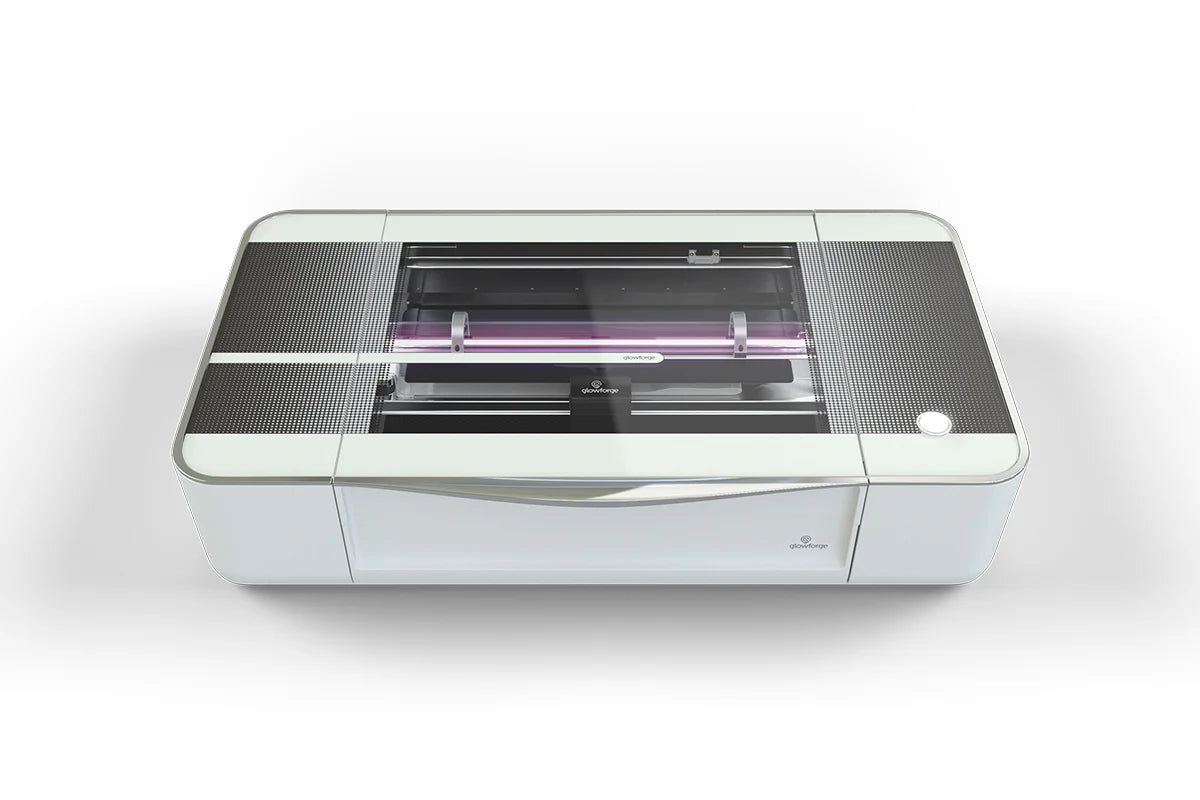

Last updated June 2026. Glowforge is the machine most people researching desktop CO2 lasers have already heard of — and based on the calls our sales team fields every week, it's the single most common reference point shoppers use when comparing machines, even when they end up buying something else. This guide gives you the real comparison: where Glowforge genuinely wins, where the alternatives win, and which machine fits your specific situation.
We carry Glowforge ourselves alongside seven other CO2 laser brands, so this isn't a "Glowforge is bad, buy something else" pitch. It's a straight comparison based on current specs, current pricing, and what we hear from the hundreds of CO2 laser buyers — hobbyists, Etsy sellers, schools, and small manufacturing shops — we talk to every month.
Glowforge discontinued the original Basic model. As of 2026, the lineup splits into two categories:
We stock the Glowforge Plus (40W), Glowforge Plus HD, Glowforge Pro (45W), and Glowforge Pro HD directly — so if a Glowforge genuinely is the right fit after reading this, you don't need to go anywhere else.
What hasn't changed: every Glowforge model still requires an active internet connection to run jobs (all processing happens through Glowforge's cloud), and the Premium subscription is effectively required if you want access to Glowforge's full design catalog rather than uploading your own files.
Here's how the current Glowforge lineup stacks up against six desktop CO2 lasers we carry, using current specs and current TMC pricing:
| Specifications | Glowforge Pro | xTool P2S | Atomstack Hurricane | FSL Muse Core | FLUX HEXA | Monport K40 Pro |
|---|---|---|---|---|---|---|
| Laser power | 45W | 55W | 55W | 40/45W | 60W | 40W |
| Software | Glowforge cloud app (online only) | XCS / LightBurn | LightBurn | RetinaEngrave / LightBurn | Beam Studio | LightBurn |
| Works offline | No | Yes | Yes | Yes | Yes | Yes |
| Working area | 19.5" x 11.0" | 23.6" x 12" | 23.6" x 12" (riser-extendable) | 16" x 12" | 24" x 16" | 12.6" x 8.3" |
| Safety classification | Class 4 (open-bed venting required) | Class 1 (fully enclosed) | Class 1 (fully enclosed) | Class 1 (fully enclosed) | Class 1 (fully enclosed) | Class 4 (open-frame) |
| Pass-through slot | Yes | Yes | Optional (R7 Pro conveyor) | No | Yes | No |
| Standard warranty | 1 year | 1 year | 1 year | 1 year | 1 year | 1 year |
| Price at The Maker's Chest | $5,999 | $3,999 | $2,699 | $2,999 | $5,455 | $557.99 |
Prices and stock change regularly — check each product page for current availability before buying.
Based on our experience selling CO2 lasers to universities, school districts, makerspaces, and small businesses of every size, the decision almost always comes down to three questions: do you need internet-free operation, do you need a bigger bed than Glowforge's 19.5" x 11", and how much are you willing to pay for Glowforge's design ecosystem and polish?
One pattern we see consistently in customer feedback: buyers who switch from Glowforge to an enclosed, LightBurn-compatible alternative almost never cite the switch as a downgrade in safety or ease of use — the complaints we hear about Glowforge are almost always about the internet dependency and the cost of staying inside the Proofgrade ecosystem, not about cut quality.

The xTool P2S is the most direct head-to-head competitor to the Glowforge Pro on this list: 55W vs Glowforge's 45W, a larger 23.6" x 12" bed vs Glowforge's 19.5" x 11", and full LightBurn compatibility for users who want more granular control than Glowforge's browser app allows. xTool also offers a swappable laser module system and a rotary attachment for cylindrical engraving, which Glowforge's ecosystem doesn't support.

The Atomstack Hurricane matches the P2S on power and bed size at a meaningfully lower price, and it's fully enclosed (Class 1) — the same safety profile Glowforge owners are used to. Based on the feedback we've received from real Maker's Chest customers, the Hurricane is the machine most frequently recommended to first-time buyers who want Glowforge-level safety without the Glowforge price tag.

Full Spectrum Laser has been building CO2 laser engravers since before the desktop laser category existed in its current form, and the Muse Core reflects that experience — a compact, fully enclosed 40/45W machine that's straightforward to set up and reliable in daily use. It's the right pick for buyers who want a smaller footprint than the P2S or Hurricane and don't need maximum bed size.

If working area is the deciding factor, the FLUX HEXA leads this list at 24" x 16" — substantially larger than anything Glowforge offers — with a 60W laser and a pass-through slot for material that exceeds the bed length. It's a meaningful step up in price from the entry-level options, but for shops running larger sign work or batch production, the extra bed space pays for itself quickly.

The Monport K40 Pro is the lowest-cost entry point on this list by a wide margin. It's an open-frame Class 4 machine rather than fully enclosed, which means it requires the same safety precautions (laser safety glasses, supervised operation, proper ventilation) as any open-bed laser — but for buyers who want to confirm laser cutting fits their workflow before investing four figures, it's a low-risk way to start.
This is the single most common complaint our team hears from former Glowforge owners. Every Glowforge job is processed through Glowforge's cloud servers — no internet connection means no cutting, regardless of how simple the job is. All six alternatives on this list run on local software (LightBurn, XCS, RetinaEngrave, or Beam Studio) and operate fully offline.
Glowforge's browser-based app is genuinely the easiest software to learn for a complete beginner — that's a real advantage, not marketing spin. LightBurn, which most of the alternatives support, has a steeper initial learning curve but gives you far more control over speed, power, and multi-pass settings once you're past the first few projects. For schools and classroom use specifically, several districts we work with prefer LightBurn precisely because it doesn't depend on a cloud account or ongoing internet access during class time.
The machine price is only part of the comparison. Glowforge's Premium subscription is effectively required for access to the full design catalog, and replacement parts on a Class 4 sealed-tube design often mean replacing the whole unit rather than a single component. Factor this into the math before comparing sticker prices directly.
Yes. The Atomstack Hurricane matches the Glowforge Pro's safety classification (Class 1, fully enclosed) and beats its power and bed size at roughly half the price. The trade-off is software — you'll be running LightBurn instead of Glowforge's browser app.
Yes, all six machines compared here run entirely offline using locally installed software. Glowforge is the only machine in this comparison that requires an active internet connection for every job.
The fully enclosed (Class 1) machines on this list — the xTool P2S, Atomstack Hurricane, FSL Muse Core, and FLUX HEXA — meet the same safety classification as the Glowforge Pro and don't require laser safety glasses during normal operation. The Monport K40 Pro is an open-frame Class 4 machine and requires the same safety precautions as any open-bed laser cutter.
Glowforge's software is still the easiest entry point for someone who has never used a laser cutter before. xTool's software comes closest among the alternatives for new users; the rest are best paired with LightBurn, which takes a bit longer to learn but rewards that investment with more control.
Have questions about which machine fits your specific shop, classroom, or business? Reach out to our team — we work with universities, schools, and businesses of all sizes choosing between these exact machines every week, and we're happy to talk through your specific use case.

Shipping Insurance ($89)
placeholder

Leave a comment